
I spent some real time with Hazel for macOS; Enough to know what works and what doesn't. Here's the short version.
What I liked
The trial doesn't nag me. Not once. No popup in my face every ten minutes telling me to buy. The time remaining just sits quietly in the menu bar, and it's on me to notice.
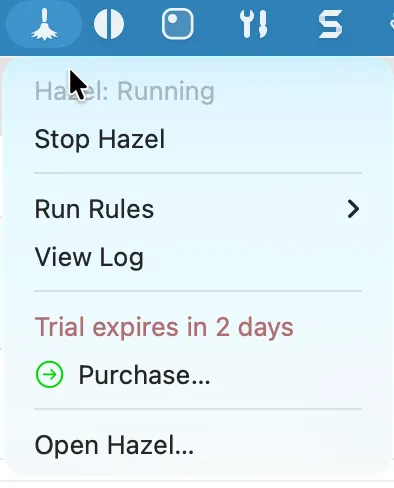
They offer a one-time payment option. That matters. So many apps lock you into a subscription and never let you just own the thing.
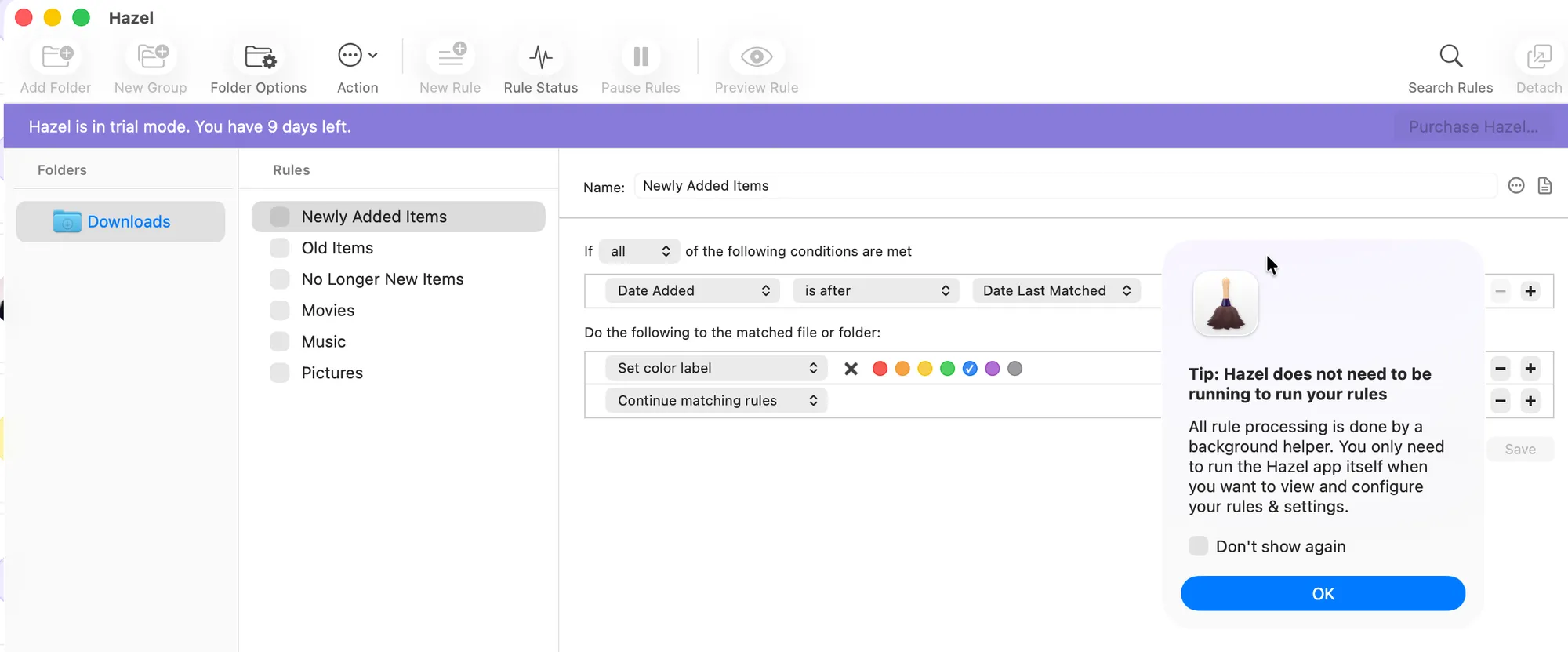
When I first opened it, they handed me a "here you go" example Rule. The Downloads folder rule was already sitting right there, ready for me to test out and tweak to my liking. It didn't just point me to a Wiki or a webpage and wish me luck.
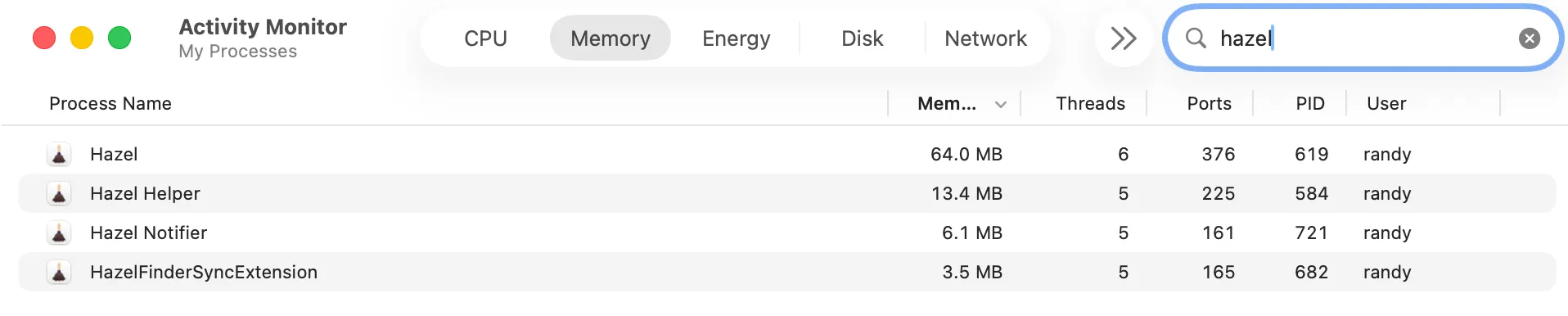
And for such a capable application, the memory footprint is tiny. I pulled up Activity Monitor and the whole thing barely registers.
What I'd like to see improved
I did a video walkthrough for the app, and at first I got a little lost when it came to editing rules. That was my own confusion, honestly. Noodlesoft support responded right away and cleared it up for me. The two parts were:
- For the PDF rule, I could have also used "Kind is PDF"
- You can edit the rules. Clicking the + button at the end of a condition or action will add new conditions or actions respectively.
Small stuff. But the support was quick, and that counts.
Bottom line
Hazel does what it says, stays out of your way, and lets you pay once. I'll be keeping it. Here is the YouTube video I posted yesterday, where I basically screencast my experience learning the Hazel basics.




)